
You just spent your Saturday morning under your car. You drained the old oil, swapped in a fresh filter, and filled the engine with premium synthetic oil. You feel great about saving money on maintenance. But when you turn the key, the dashboard still beeps and flashes a stubborn message: “Service Now” or “Inspection Due.”
After completing maintenance, follow our complete VW Golf Maintenance & Service Guide
Do not panic. You do not need to drive back to the dealership and pay a mechanic just to push a few buttons. You can easily reset service light VW Golf models right in your own driveway.
Whether you drive a classic Mk5 or a brand-new digital-dash Mk8, this comprehensive guide will show you exactly how to clear that annoying reminder. We will cover the manual button methods that require zero tools, as well as the modern OBD2 scanner methods. By the end of this article, you will know exactly how to manage your car’s service reminders like a professional.
Quick Takeaway: Most VW Golf models allow you to reset the basic oil service light using the trip reset buttons on the dashboard or the steering wheel controls. However, newer models and “Inspection” lights sometimes require a specific sequence or an OBD2 diagnostic tool.
Understanding the VW Golf Service Light
Before you start pressing buttons, you need to understand what your Volkswagen is trying to tell you. The VW Golf dashboard usually displays two different types of maintenance reminders. Many owners confuse them, which leads to frustration when the light comes back on immediately after a reset.
1. The Oil Change Service Reminder
This alert specifically tracks the lifespan of your engine oil. Depending on how your car is programmed, this light usually triggers every 10,000 miles (16,000 km) or once a year. It means your engine needs fresh oil and a new oil filter to keep running smoothly.
2. The Inspection Service Reminder
This is a broader alert. Volkswagen programs this light to remind you to check other vital components of the car. An inspection service usually includes checking the brakes, suspension, fluid levels, belts, and filters. This light often triggers every 20,000 miles or every two years.
When you reset your dashboard, you must make sure you reset the correct light. If you change your oil but only reset the “Inspection” light, the “Oil” warning will stay on.
Important Safety Warning: Never reset your service light just to make it go away. The reminder exists to protect your engine from catastrophic failure. Only perform a reset after you have successfully completed the required oil change or maintenance.
Before You Start: Preparation and Safety
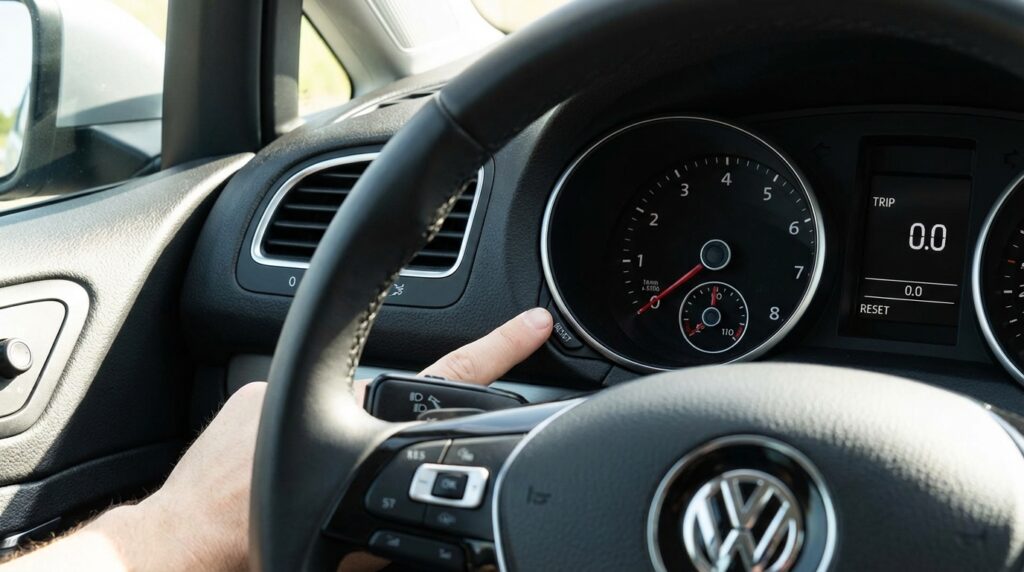
Resetting your service indicator is a safe and simple process, but you should keep a few basic rules in mind before you begin.
- Close all doors: Many Volkswagen models will block the reset procedure if a door, the hood, or the trunk is open. Make sure you sit inside the car with all doors firmly closed.
- Turn off accessories: Turn off your radio, air conditioning, and headlights to ensure the battery maintains full voltage during the process.
A weak remote signal can also be caused by a low volkswagen key fob battery, especially in modern push-start models.
- Know your ignition states: When we say “turn the ignition on,” we mean turning the key to the auxiliary position so the dashboard lights up. Do not start the engine unless the instructions specifically tell you to do so. For push-button start cars, press the start button once without putting your foot on the brake pedal.
For more details on your specific maintenance schedule, you can always check the official Volkswagen owners hub to ensure you are meeting all warranty requirements.
Step-by-Step Guide to Reset Service Light VW Golf (By Model)
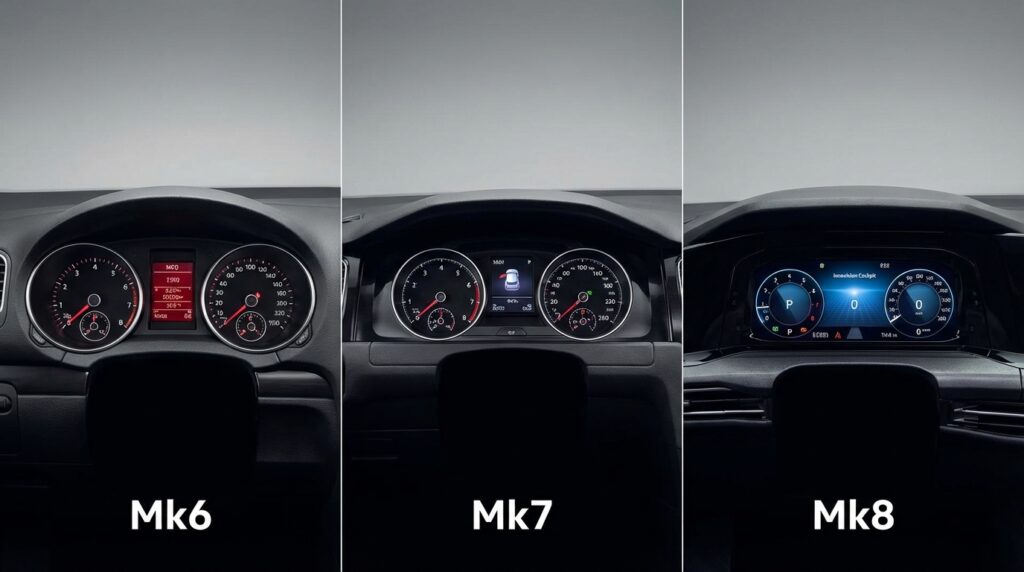
Volkswagen changes the dashboard layout every few years. Therefore, the exact steps to clear the service message depend entirely on which generation of the Golf you own. Find your car’s generation below and follow the precise steps.
How to Reset the Service Light on a VW Golf Mk8 (2020 – Present)
The Mk8 Golf features a fully digital “Innovision Cockpit.” Because there are no physical trip buttons on the dashboard glass, you must use the buttons on your steering wheel to navigate the hidden service menu.
- Sit in the driver’s seat and close all the doors.
- Turn the ignition ON by pressing the Start/Stop button once. Do not step on the brake. Do not start the engine.
- Look at the right side of your steering wheel. Use the left and right arrow buttons to scroll through the digital dashboard menus until you reach the “Driving Data” screen.
- Use the up and down arrows to scroll until the screen displays your “Range” (the estimated distance you can drive on your current tank of gas).
- Press and hold the “OK” button on the right side of the steering wheel for about 5 to 8 seconds, then release it.
- A hidden “Service Menu” will appear on the screen.
- Use the down arrow to highlight “Reset Oil Service” or “Reset Inspection” depending on what you need to clear.
- Press the “OK” button to select it.
- The screen will ask you to confirm. Press “OK” one more time.
- The screen will display “Service Reset.” You can now turn the ignition off.
“The Mk8 hidden menu can be tricky the first time. If the menu does not appear after you hold the OK button, make sure your hood is fully latched. Modern VWs use a micro-switch in the hood latch as a safety feature during service resets.”
How to Reset the Service Light on a VW Golf Mk7 (2013 – 2020)
The Mk7 generation is one of the most popular Golf models on the road. It usually features an analog instrument cluster with a small physical button located at the bottom right of the speedometer.
Resetting the Oil Service Light (Mk7)
- Turn the ignition completely OFF.
- Locate the “0.0/SET” button on the lower right side of the instrument cluster glass.
- Press and hold the “0.0/SET” button with your finger.
- While continuing to hold the button, turn the ignition ON (turn the key to the first position, or press the start button without touching the brake).
- Keep holding the button until the central dashboard screen asks: “Reset oil change service?”
- Release the “0.0/SET” button.
- Quickly press the “0.0/SET” button one more time to confirm your choice.
- The screen will display a message confirming the service has been reset.
Resetting the Inspection Light (Mk7 Secret Trick)
If the dashboard says “Inspection Due” rather than “Oil Change,” the standard method above will not work. You need to use a special trick involving the hazard lights.
- Turn the ignition completely OFF.
- Press the Hazard Lights button on your center console to turn the flashing hazard lights on.
- Press and hold the “0.0/SET” button on the dashboard.
- While holding the button, turn the ignition ON.
- The screen will now ask: “Reset inspection service?”
- Release the “0.0/SET” button.
- Press the “0.0/SET” button again to confirm.
- Turn off your hazard lights. The inspection message is now clear.
How to Reset the Service Light on a VW Golf Mk6 (2009 – 2013)
The Mk6 Golf process is very similar to the Mk7, but involves slightly different button placements. Depending on your trim level, you will either use the dashboard buttons or the steering wheel controls.
- Make sure the ignition is turned OFF.
- Find the “0.0/SET” button on the right side of the dashboard instrument cluster. Press and hold it down.
- Turn the ignition key to the ON position to light up the dashboard. Do not start the engine.
- Release the “0.0/SET” button.
- Within the next 20 seconds, press the “Minute” button on the left side of the instrument cluster (this button usually has a small clock icon or two overlapping squares next to it).
Alternative: If your car has multi-function steering wheel buttons, press the “OK” button on the right side of the steering wheel instead. - The display screen will flash briefly or show a confirmation message, and the wrench icon will disappear.
- Turn the ignition off to complete the process.
How to Reset the Service Light on a VW Golf Mk5 (2004 – 2009)
The Mk5 Golf uses a purely mechanical-style cluster interaction. You will need to use both the right and left knobs protruding from the speedometer and tachometer.
- Turn the ignition to the OFF position.
- Locate the trip reset knob on the right side of the speedometer (it usually says “0.0”).
- Press this right knob in and hold it down.
- While holding the right knob, turn the ignition key to the ON position. Do not start the car.
- Release the right knob.
- Now, locate the clock adjustment knob on the left side of the instrument cluster (near the tachometer).
- Turn the left knob to the right (clockwise) and hold it there for a brief second.
- The service wrench icon or the “Service Now” text will clear from the central display.
- Turn the ignition off. Start the engine to verify the light is gone.
Troubleshooting Tip: If the light on your older Mk5 or Mk6 model refuses to turn off after multiple attempts, check your battery voltage. A weak battery can sometimes prevent the car’s computer from saving new memory inputs.
How to Reset Using an OBD2 Scanner
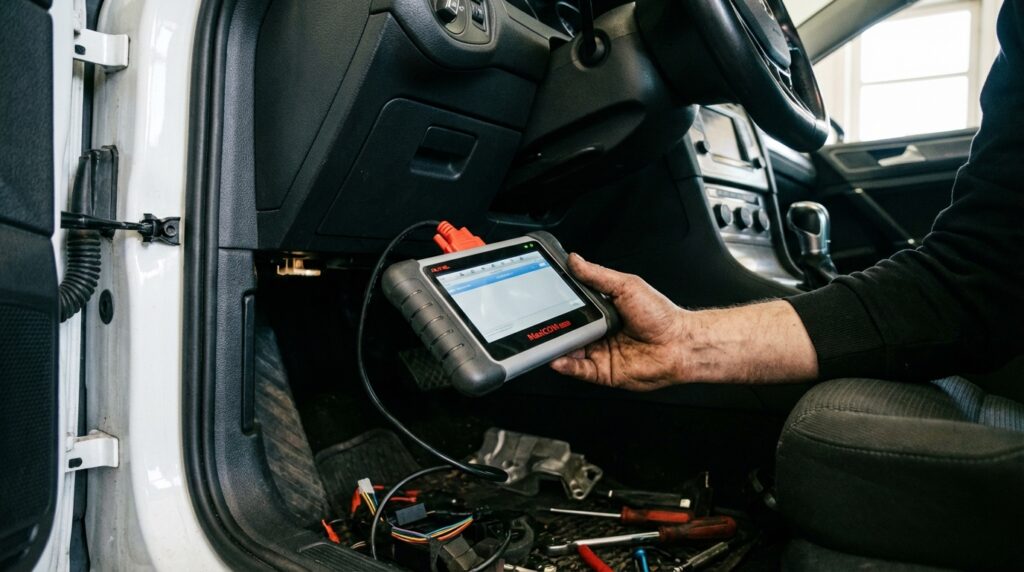
While the manual button methods work perfectly for standard maintenance, some owners prefer a more high-tech approach. Using an On-Board Diagnostics (OBD2) scanner gives you complete control over your car’s computer.
Tools like VCDS (VAG-COM), OBDeleven, or Carista are specifically designed for Volkswagen and Audi vehicles. These tools connect to the port under your steering wheel and communicate directly with your smartphone or laptop.
Why use an OBD2 scanner instead of the dashboard buttons?
When you use the manual dashboard buttons to reset your oil light, the car automatically defaults to a Fixed Service Interval (usually 10,000 miles or 365 days).
However, many modern VW Golfs use Flexible Service Intervals (LongLife oil schedules), which use sensors to monitor oil quality and driving habits to determine when an oil change is needed. If you want to keep the flexible service schedule active, you must use an OBD2 scanner to reset the computer.
Steps to Reset with an OBDeleven or Carista Tool:
- Plug the OBD2 dongle into the diagnostic port located in the driver’s side footwell.
- Turn the ignition ON (engine off).
- Open the corresponding app on your smartphone and connect via Bluetooth.
- Navigate to the “Apps” or “Service” section.
- Select “Inspection Service Reset” or “Oil Service Reset.”
- Tap the execute button (often a green checkmark or a “Do It” button).
- The app will communicate with the car’s ECU, clear the old data, and restart the interval timer.
This method takes less than two minutes and ensures that your car’s digital service history remains perfectly accurate.
Manual Reset vs. OBD2 Scanner Comparison
Not sure which method is right for you? Use this simple comparison table to decide how you want to handle your next reset.
| Feature | Manual Button Reset | OBD2 Scanner Reset (e.g., OBDeleven) |
|---|---|---|
| Cost | 100% Free | Requires purchasing a tool ($40 – $200) |
| Ease of Use | Requires following a strict button sequence | One-click solution via smartphone app |
| Service Interval Type | Forces car into Fixed Interval (Time/Distance) | Can maintain Flexible LongLife Intervals |
| Extra Features | None (Only clears the light) | Can scan engine codes, clear check engine lights, and customize car features |
| Best For… | Casual DIYers on a budget | Enthusiasts who do all their own mechanical work |
Why Tracking Your Service Matters

You might wonder why modern cars make such a fuss about service reminders. In the past, drivers simply placed a small sticker on the top corner of their windshield to remember their next oil change. Today, the stakes are much higher.
Modern Volkswagen TSI and TDI engines are marvels of engineering, but they rely on extremely tight tolerances. The engine oil not only lubricates moving parts but also cools the turbocharger and actuates variable valve timing systems.
which can also be related to problems like the VW Golf timing belt
Relying on the dashboard computer ensures that you never accidentally skip a service milestone. Consistent, documented maintenance also drastically improves the resale value of your VW Golf when it comes time to upgrade to a newer model.
Beware of Sludge: Pushing your car thousands of miles past the “Service Now” warning breaks down the chemical additives in your oil. This creates thick oil sludge that can block passages and destroy a turbocharger in a matter of weeks. Always respect the service light!
Frequently Asked Questions (FAQs)
Why did my service light come right back on after I reset it?
This is the most common issue VW owners face. As mentioned earlier, your Golf tracks both “Oil Service” and “Inspection Service” separately. If you only performed the oil reset procedure, the car is still asking for an inspection. You must perform the reset procedure for the specific light that is flashing. If you reset both and a warning remains, you may have a deeper mechanical issue requiring an OBD2 scan.
Can I ignore the service light if the car feels fine?
Technically, the car will continue to drive perfectly fine with the service light illuminated. The computer does not limit engine power or enter “limp mode” just because an oil change is due. However, ignoring the light makes it impossible to track your maintenance accurately. Eventually, you will forget how long it has been since your last oil change, which can lead to severe engine damage.
Will resetting the service light turn off my Check Engine Light?
No. The service reminder system and the Check Engine Light (CEL) are two completely separate systems. The service system is essentially a glorified countdown timer. The Check Engine Light indicates a real-time mechanical or electrical failure detected by a sensor. To clear a Check Engine Light, you must fix the broken component and clear the error code using an OBD2 diagnostic scanner.
Does resetting the light myself void my Volkswagen warranty?
No, resetting the light does not void your warranty. Under consumer protection laws, you are legally allowed to perform your own maintenance. However, if you experience engine failure and file a warranty claim, Volkswagen will ask for proof that the required maintenance was actually performed. Always keep your receipts for oil and filters in a folder in your glovebox to prove you did the work before resetting the light.
What oil should I use when servicing my VW Golf?
Always use a full synthetic oil that meets VW’s specific approval standards (usually VW 502 00, VW 504 00, or VW 508 00, depending on your engine and model year). Check your owner’s manual for the exact specification. Using the wrong oil can cause the flexible service sensors to misread the oil quality, triggering early service warnings.
Conclusion
Learning how to reset service light VW Golf systems is a simple but essential skill for any DIY car owner. It gives you control over your vehicle’s maintenance schedule and saves you the time and money of visiting a dealership for a two-minute task.
Whether you use the quick dashboard button tricks for an older Mk5 or navigate the digital menus of a sleek new Mk8, the process is incredibly straightforward once you know the hidden sequences. Remember, the dashboard computer is there to help you, not annoy you. Treat your Golf to high-quality oil and timely filter changes, reset the computer faithfully, and your engine will reward you with hundreds of thousands of miles of reliable driving.
Now that your dashboard is finally clear of warnings, you can get back on the road and enjoy the drive!