
You hop into your car on a cold morning, turn the key or press the start button, and nothing happens. Instead of the familiar engine purr, you hear a rapid clicking sound. Your dashboard lights flicker, and your heart sinks. You need a VW Golf battery replacement.
Do not panic. Dealing with a dead battery is annoying, but fixing it is straightforward. Whether you drive a classic MK6, a popular MK7, or a modern MK8 Golf, changing the battery is a task you can absolutely handle at home. Doing it yourself saves you time and keeps your hard-earned money out of the dealership’s pockets.
For a full maintenance plan, check our VW Golf Maintenance & Service Guide
In this comprehensive, up-to-date guide for 2026, we cover everything you need to know. We will explore the exact costs, highlight the best battery brands, and walk you through a simple, beginner-friendly DIY installation guide. We will even cover the crucial step of battery coding for modern Volkswagen models.
How Long Does a VW Golf Battery Last?
We often forget about our car batteries until they fail. Under normal driving conditions, a genuine VW Golf battery lasts between three to five years. However, several external factors can shrink or extend that lifespan.
If you live in a region with extreme weather, expect a shorter lifespan. Blistering summer heat evaporates the liquid inside the battery, while freezing winter temperatures drastically reduce its cranking power. Furthermore, your driving habits play a massive role.
Taking short five-minute trips to the grocery store hurts your battery. The alternator needs time to recharge the battery after the heavy power draw of starting the engine. If you constantly drive short distances, the battery never reaches a full charge, which leads to early failure.
Top Signs You Need a VW Golf Battery Replacement
Your Volkswagen is a smart machine. It usually warns you before the battery dies completely. Watch out for these common warning signs:
- Slow Engine Crank: The engine sounds sluggish and takes longer to start than usual.
- Auto Start-Stop Stops Working: Modern Golfs feature an Auto Start-Stop system to save fuel. If the battery is weak, the car’s computer disables this feature to preserve power.
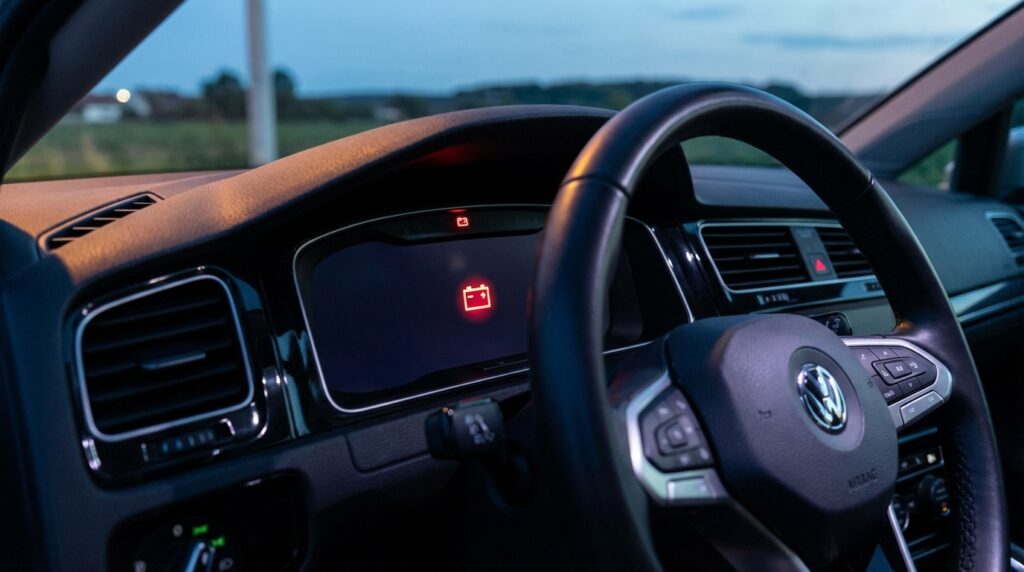
- Dashboard Warning Lights: The battery icon or check engine light stays illuminated on your digital dash.
- Dimming Lights: Your headlights look yellow or dim, and your interior lights flicker when you use power windows.
- Weird Smells: A failing lead-acid battery sometimes vents sulfur gas. If your engine bay smells like rotten eggs, your battery is likely leaking.
- Swollen Battery Case: Extreme heat or overcharging can make the plastic battery casing bulge. If it looks swollen, replace it immediately.
“The most ignored sign of a dying VW Golf battery is the sudden deactivation of the Auto Start-Stop feature. Owners often think the system is broken, but the car is actually protecting a weak battery from completely draining at traffic lights.”
How Much Does It Cost? (2026 Estimates)
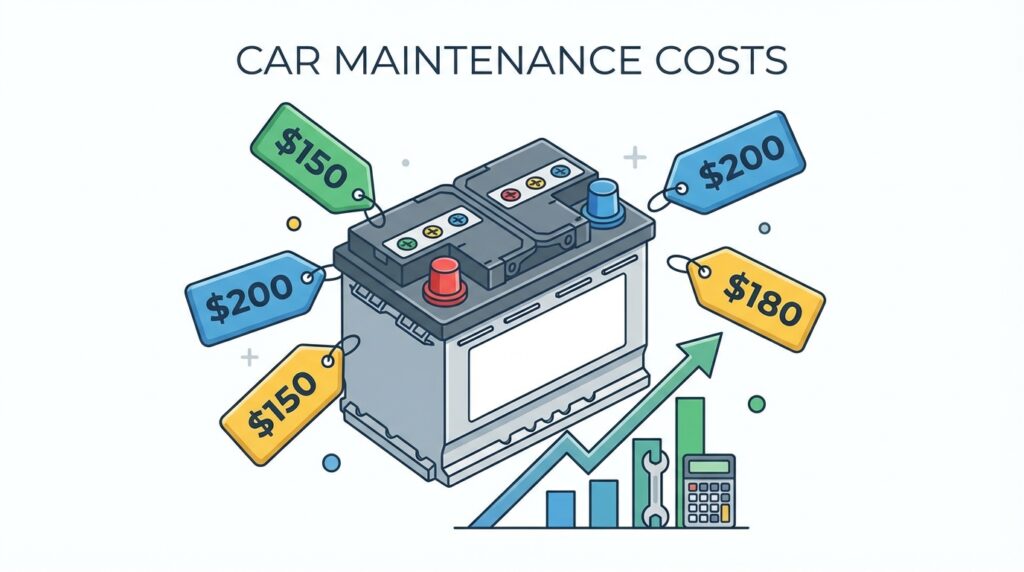
Cost is usually the first thing on every driver’s mind. The final bill depends entirely on the route you choose: DIY, a local garage, or the official VW dealership.
If you choose to do it yourself, you only pay for the battery. Depending on whether your Golf needs a standard Lead-Acid battery or an advanced AGM (Absorbent Glass Mat) battery, prices vary. Modern Golfs (MK7 and MK8) almost always require AGM or EFB batteries to support their heavy electronic loads.
| Replacement Method | Battery Cost | Labor Cost | Estimated Total |
|---|---|---|---|
| DIY (Do It Yourself) | $150 – $250 | $0 | $150 – $250 |
| Independent Garage | $180 – $270 | $60 – $100 | $240 – $370 |
| Official VW Dealership | $220 – $300 | $120 – $180 | $340 – $480+ |
The Best Replacement Batteries for VW Golf
Selecting the right battery ensures your car runs perfectly for years. Most VW Golfs use a Group Size 48 (H6) battery. However, you must always check your owner’s manual or measure your current battery to confirm the exact size.
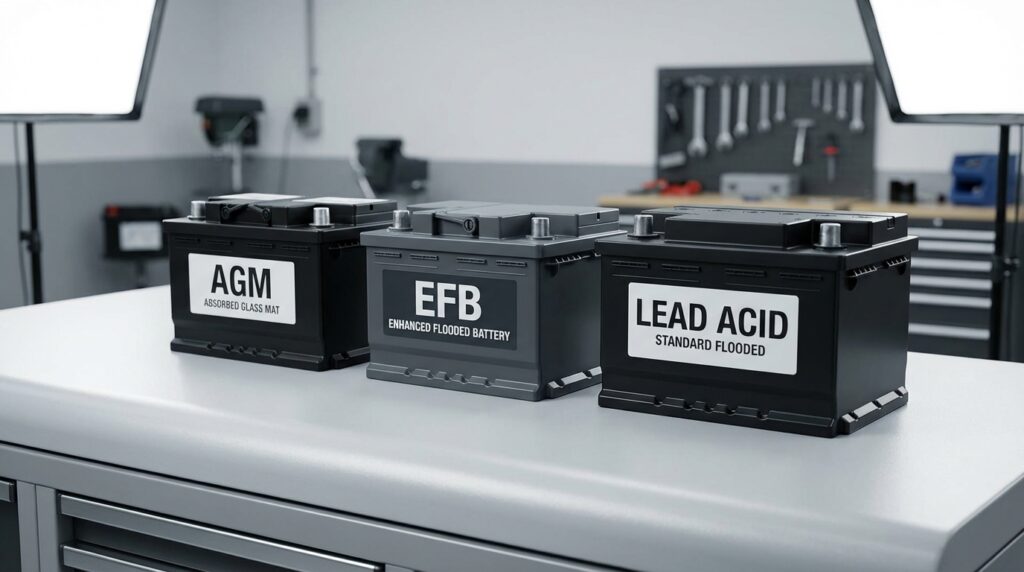
You have three main types of batteries to choose from:
- Standard Flooded Lead-Acid: Cheaper, but only suitable for older Golfs (MK5, early MK6) without advanced electronics or Auto Start-Stop.
- EFB (Enhanced Flooded Battery): A middle-ground option. Many VWs come from the factory with EFB batteries. They handle multiple starts better than standard batteries.
- AGM (Absorbent Glass Mat): The premium choice. AGM batteries charge faster, last longer, and handle the heavy power demands of modern infotainment systems and sensors. We highly recommend upgrading to an AGM battery.
Here are our top three battery recommendations for a reliable replacement in 2026:
| Battery Brand & Model | Type | Cold Cranking Amps (CCA) | Best For |
|---|---|---|---|
| Bosch S6 Flat Plate AGM | AGM | 760 CCA | Top tier performance and extreme winter weather. |
| Optima YellowTop (H6) | AGM | 800 CCA | Audio enthusiasts and cars with heavy aftermarket electronics. |
| Duralast Platinum AGM | AGM | 760 CCA | Great warranty and easy availability at local auto parts stores. |
For a deeper dive into battery technology, you can read more about AGM and VRLA batteries on Wikipedia.
Tools You Need for the Job
You do not need a massive toolbox to perform a VW Golf battery replacement. Gather these simple items before you begin:
- A 10mm wrench or socket (for the battery terminals).
- A 13mm socket (for the base hold-down bracket).
- A long socket extension (at least 6 to 10 inches, to reach the base bracket).
- Battery terminal cleaner brush.
- Anti-corrosion spray or dielectric grease.
- Safety gloves and goggles.
- An OBD2 diagnostic tool (like OBDeleven or VCDS) for battery registration (required for MK7 and MK8).
You can also use it to reset service light VW Golf
Step-by-Step DIY VW Golf Battery Replacement Guide
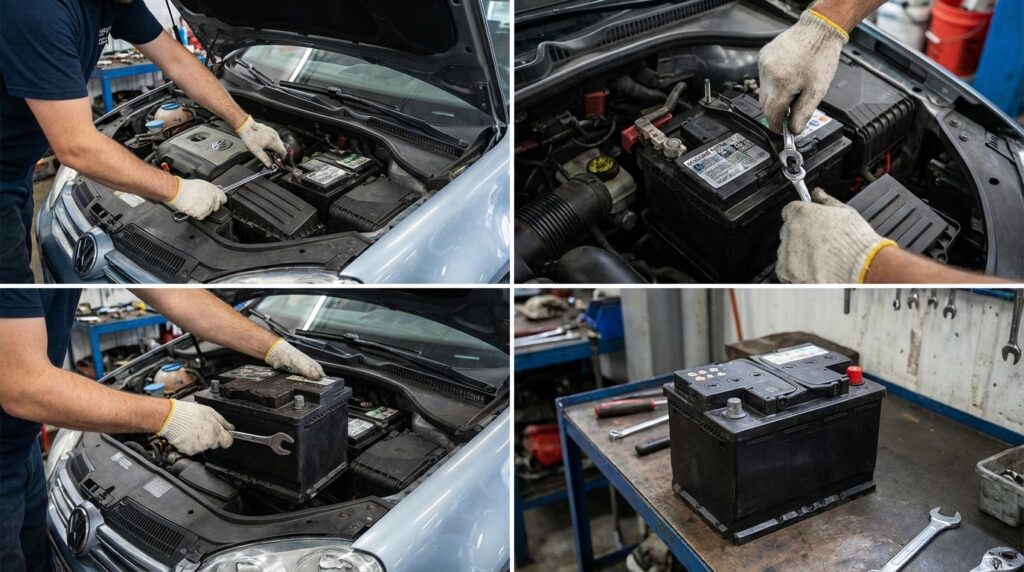
Set aside about 30 to 45 minutes for this task. Park your car on a flat, dry surface, and engage the parking brake. Let’s get to work.
Step 1: Prepare the Vehicle
Turn off the ignition and remove the keys from the car. Keep the keys in your pocket to prevent the car from accidentally locking you out when you reconnect the power. Open the hood and wait about 10 minutes. This waiting period allows the car’s computer systems (ECUs) to go to sleep, preventing electrical spikes.
Step 2: Remove the Battery Cover
Most VW Golfs feature a soft felt or hard plastic cover surrounding the battery. Unclip or slide this cover off. It protects the battery from engine heat, so keep it in a safe place.
Step 3: Disconnect the Negative Terminal
Always disconnect the negative (black) terminal first. This is the golden rule of battery replacement. Use your 10mm wrench to loosen the nut on the negative terminal clamp. Wiggle the clamp off the battery post and tuck it away so it cannot accidentally touch the battery.
Step 4: Disconnect the Positive Terminal
Now, locate the positive (red) terminal. Flip up the red plastic cover. Use your 10mm wrench to loosen the nut, lift the clamp off the post, and tuck it safely aside.
Step 5: Remove the Hold-Down Bracket
Look down at the base of the battery, near the front. You will see a metal bracket holding the battery tightly to the tray. Attach your 13mm socket to your long extension. Reach down and unscrew the bolt. Carefully remove the bolt and the metal bracket. Be very careful not to drop the bolt into the engine bay!
Step 6: Lift Out the Old Battery
Grab the battery by its built-in plastic handles. Bend your knees and lift straight up. Car batteries are surprisingly heavy, weighing around 40 to 50 pounds. Set the old battery gently on the ground.
Step 7: Clean the Battery Tray and Terminals
Take a moment to inspect the empty plastic tray. Brush away any dirt, leaves, or debris. Grab your battery cleaning tool and aggressively brush the inside of the metal terminal clamps until the metal looks shiny. Clean connections ensure maximum power flow.
Step 8: Drop in the New Battery
Lower the new battery into the tray. Make sure the positive and negative posts face the correct direction (matching the original setup). Remove the plastic protective caps from the new battery posts.
Step 9: Reinstall the Hold-Down Bracket
Slide the metal hold-down bracket back into place at the base of the battery. Use your 13mm socket and extension to tighten the bolt securely. Give the battery a firm push to ensure it does not slide around.
Step 10: Reconnect the Terminals
Reverse your earlier order. Connect the positive (red) terminal first. Tighten it down with your 10mm wrench. Next, connect the negative (black) terminal and tighten it. Spray a little anti-corrosion spray on both terminals, and reinstall the battery cover.
Do I Need to Code or Register the New Battery?

If you drive a VW Golf MK7 (2015-2021) or an MK8 (2022-Present), the answer is a massive YES. You must register the new battery to the car’s computer.
Modern Volkswagens use a Battery Management System (BMS). As your old battery slowly degrades over the years, the alternator gradually increases its charging voltage to push electricity into the dying battery. If you drop a brand-new battery into the car without telling the computer, the alternator will continue charging at that high, aggressive voltage.
This aggressive overcharging will literally boil the acid inside your new battery, destroying it within 6 to 12 months.
How to Register the Battery
You do not need a dealer to do this. You can easily do it at home using an OBD2 device like OBDeleven or a Ross-Tech VCDS cable.
- Plug the device into your car’s OBD2 port under the steering wheel.
- Open the app on your phone or laptop.
- Navigate to Control Unit 19 (Gateway).
- Select Adaptation, then look for “Battery Adaptation”.
- Update the Battery Capacity (e.g., from 68Ah to 70Ah).
- Update the Battery Technology (e.g., change from EFB to AGM if you upgraded).
- Change the Battery Serial Number. You only need to change a single digit from the old number. This tricks the computer into recognizing that a new battery is installed and resets the charging profile back to normal.
Post-Installation Resets
When you start your car for the first time after a battery replacement, your dashboard will light up like a Christmas tree. Do not panic! The car simply lost its temporary memory. You need to perform a few quick resets:
- Steering Angle Sensor: Turn the engine on. Turn the steering wheel all the way to the left, then all the way to the right, and bring it back to the center. Drive the car forward at a slow speed for a few feet. The steering warning light will disappear.
- Window Pinch Protection: Roll your driver-side window all the way down and hold the button down for 3 seconds. Roll it all the way up and hold the button up for 3 seconds. Repeat for all windows. This restores the auto-up/auto-down feature.
- Tire Pressure Monitoring (TPMS): You might need to press the “Set” button in your glovebox or inside your infotainment screen to reset the tire pressure light.
Learn how to properly adjust your VW Golf tire pressure
- Clock: Manually reset your dashboard clock if it does not update via GPS.
How to Maximize Your New Battery’s Lifespan
Now that you have successfully installed a fresh battery, you want it to last as long as possible. Follow these simple maintenance habits:
First, drive your car for at least 20 to 30 continuous minutes once a week. Highway driving is perfect for allowing the alternator to fully charge the battery. If you work from home or only drive short distances, consider buying a smart trickle charger. Connecting your battery to a trickle charger once a month keeps the internal cells perfectly balanced.
Second, keep the battery terminals clean. Pop the hood twice a year and check for white, crusty acid buildup. If you spot corrosion, clean it off with a mixture of baking soda and water.
Finally, avoid draining the battery heavily while the engine is off. Avoid sitting in parking lots with the engine off while blasting the radio and charging your laptop.
Frequently Asked Questions (FAQs)
Can I jump-start my VW Golf if the battery is completely dead?
Yes, you can jump-start a VW Golf. Always connect the positive cable to the positive terminal first. However, connect the negative cable to a solid metal grounding point on the engine block, rather than directly to the negative battery terminal. This protects the sensitive Battery Management System sensor attached to the negative post.
Is it safe to replace an AGM battery with a standard Lead-Acid battery?
No, we strongly advise against this. If your VW Golf originally came with an AGM or EFB battery, downgrading to a standard flooded lead-acid battery will cause problems. The car’s electronics and Auto Start-Stop system demand high power, which will destroy a standard battery very quickly.
Where is the battery located in a VW Golf?
In almost all VW Golf models, the battery sits in the engine bay on the driver’s side (left side), usually wrapped in a felt or plastic thermal cover.
Will changing the battery erase my radio presets?
In most modern MK7 and MK8 Golfs, your radio presets and Bluetooth settings are saved to non-volatile memory. They will survive a battery swap. However, older MK5 and MK6 models might require you to input your radio security code if power is lost.
What should I do with my old battery?
Never throw a car battery in the trash. It contains toxic lead and highly corrosive sulfuric acid. Take the old battery back to the auto parts store where you bought the new one to claim your core charge refund. Alternatively, drop it off at your local town recycling center.
Final Thoughts
Performing a VW Golf battery replacement might seem intimidating at first, especially with all the talk about computers and coding. However, as you can see, the physical swap requires nothing more than a couple of wrenches and a bit of elbow grease. By choosing a high-quality AGM battery and taking the time to properly register it with the car’s computer, you guarantee reliable starts for years to come.
Take pride in your DIY skills. You just saved yourself a significant amount of money, learned a valuable maintenance skill, and got your Volkswagen back on the road in perfect running condition.